Many website owners spend most of their time focusing on content, keywords, and backlinks. These things are important, but there is another side of SEO that often gets ignored: technical SEO. You can publish the best content in your industry, but if your website has crawl issues, slow loading speed, poor mobile usability, broken links, indexing problems, or duplicate content, Google may never reward your work properly.
That is why a strong Technical SEO Checklist for 2026 is more important than ever.
In 2026, search engines are smarter, faster, and more focused on real user experience. Google wants to rank websites that are not only relevant, but also technically healthy. A website should load quickly, work well on mobile devices, use secure connections, guide search engines properly, and make it easy for users to move from one page to another.
Technical SEO is not just about fixing errors. It is about building a website structure that helps search engines understand your site clearly and helps users enjoy a smooth experience. When both things happen together, hidden rankings start to appear. Sometimes a small technical fix can improve indexing, reduce bounce rate, and lift rankings without creating any new content at all.
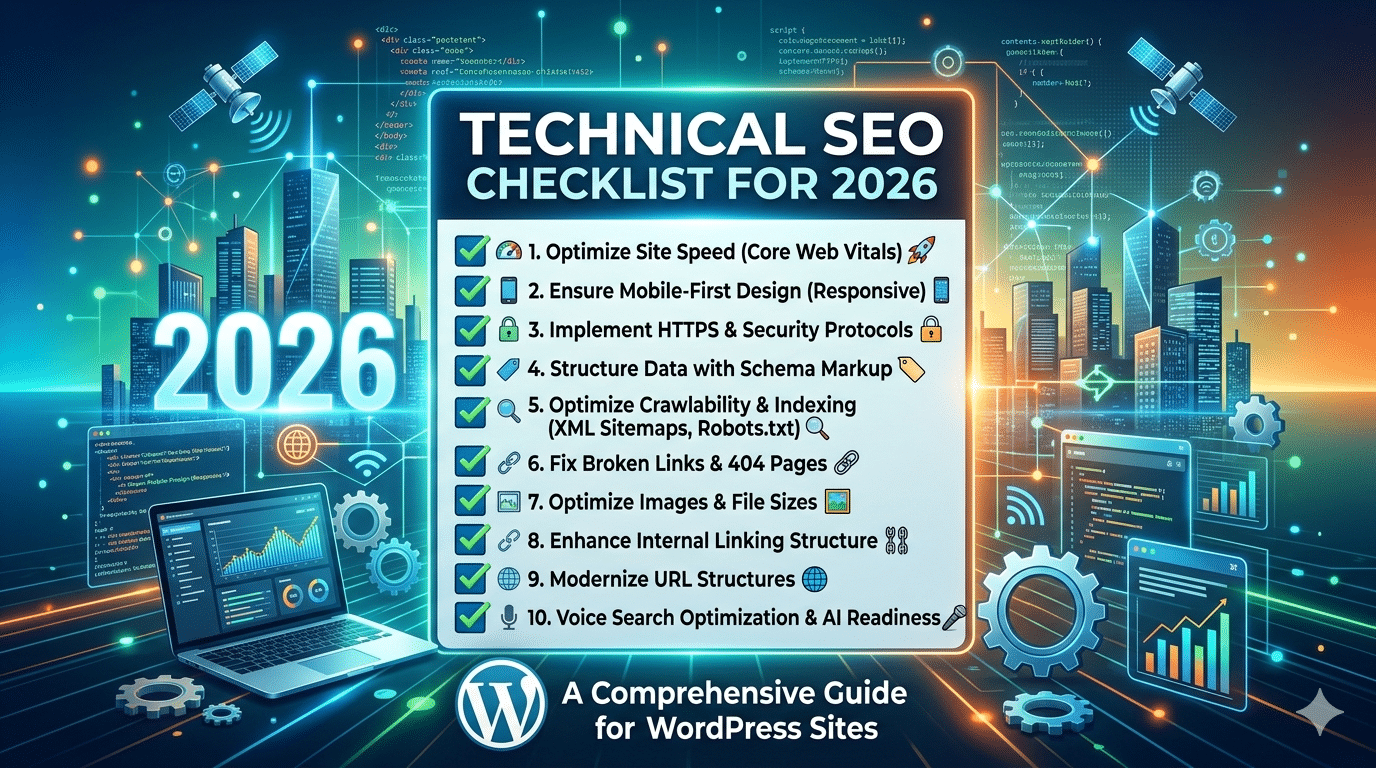
This blog gives you a complete and deeply explained technical SEO checklist for 2026 with 30 critical fixes. These are the exact areas where websites often lose traffic without realizing it. If you work through this checklist properly, you can unlock ranking opportunities that are already sitting inside your website.
Why Technical SEO Matters in 2026
Technical SEO matters because search engines need to access, understand, and trust your website before they rank it. If Google cannot crawl your pages properly, your content may not appear in search results. If users have a poor experience because the website is slow or broken, rankings may also suffer.
In 2026, technical SEO matters for five main reasons.
First, Google is heavily focused on user experience. Fast load times, stable layouts, and good mobile performance are no longer optional.
Second, websites are becoming more complex. Many modern websites use JavaScript, dynamic pages, filters, and large media files. These can create technical problems if not handled correctly.
Third, competition is higher. In competitive industries, technical improvements can be the difference between page one and page two.
Fourth, crawl efficiency matters. Search engines have limited crawl resources. If your site wastes crawl budget on broken pages, duplicate URLs, or useless pages, important content may not get crawled often enough.
Fifth, trust and quality signals are stronger. Secure websites, clean architecture, and structured data all help search engines feel more confident about your site.
Now let’s go through the full checklist.
1. Make Sure Your Website Is Crawlable
If search engines cannot crawl your pages, nothing else matters.
Crawlability means whether search engine bots can access your content. Some websites block important pages accidentally through robots.txt, noindex tags, poor internal linking, or script-heavy design.
Start by checking whether your key pages can be discovered and visited by Googlebot. These include your homepage, service pages, category pages, blog posts, and product pages. If any of these are blocked, your rankings will suffer.
A website can have amazing content, but if Google cannot reach it, the content is invisible in organic search. That is why crawlability is the first step in any serious technical SEO audit.
2. Audit and Optimize Your robots.txt File
The robots.txt file tells search engines which parts of your site they can or cannot crawl. Many people edit this file once and forget about it. That is risky.
A wrong line in robots.txt can block an entire section of your site. For example, some websites accidentally block blog directories, product pages, or image folders. That can reduce visibility badly.
Your robots.txt file should block unimportant or sensitive areas only, such as admin sections, cart pages, or test environments. It should not block valuable content that you want ranked.
Also make sure your XML sitemap is referenced inside the robots.txt file. This helps search engines find your important URLs more efficiently.
3. Submit and Maintain an XML Sitemap
An XML sitemap is like a roadmap for search engines. It tells Google which pages exist on your site and which ones are important.
While search engines can often discover pages through internal links, a sitemap gives extra clarity. This is especially useful for large websites, new websites, ecommerce stores, and websites with pages that are not easily reached through navigation.
Your sitemap should only include important, indexable URLs. Do not include redirected pages, noindexed pages, duplicate URLs, or broken pages. A messy sitemap sends mixed signals.
In 2026, maintaining a clean XML sitemap is still a simple but powerful part of technical SEO. Once created, submit it in Google Search Console and review it regularly.
4. Fix Indexing Problems
Crawling and indexing are not the same thing. A page may be crawlable but still not indexed.
Indexing problems happen when Google visits a page but decides not to store it in the search index. This can happen because of low content quality, duplicate content, wrong canonical tags, noindex directives, or weak internal linking.
Check Google Search Console for pages marked as discovered but not indexed, crawled but not indexed, or excluded. These reports help you find pages that Google sees but does not want to rank.
If an important page is not indexed, ask why. Does it provide enough value? Is it too similar to another page? Is it buried deep in the website? Is it blocked accidentally?
Indexing is the bridge between content creation and ranking. Without it, there is no traffic.
5. Improve Site Speed
Page speed remains one of the biggest technical SEO issues for many websites.
Users hate slow sites. They leave quickly, interact less, and convert less. Search engines notice these signals. A slow website also wastes crawl resources because bots take longer to process each page.
To improve speed, start with the basics:
- Compress large images
- Reduce unnecessary scripts
- Use caching
- Minify CSS and JavaScript
- Remove bloated plugins
- Choose better hosting
Many websites look fine on the surface but carry too much hidden code in the background. Every extra script, animation, popup, and widget adds weight.
In 2026, speed is not only about passing a test. It is about making sure real users can access your content quickly on real devices and normal internet connections.
6. Optimize Core Web Vitals
Core Web Vitals measure important parts of user experience. These include loading performance, visual stability, and interactivity.
The main areas you should improve are:
- Largest Contentful Paint (LCP): how fast the main content loads
- Interaction to Next Paint (INP): how responsive the page feels
- Cumulative Layout Shift (CLS): how stable the layout remains while loading
If your page jumps around while loading, users get frustrated. If buttons respond slowly, the experience feels broken. If the main content takes too long to appear, visitors may leave before they even see the page.
Improving Core Web Vitals often involves better image optimization, faster server response, cleaner code, reduced third-party scripts, and setting dimensions for media elements.
These metrics matter because they reflect real user experience, not just technical theory.
7. Use Mobile-First Optimization
Google uses mobile-first indexing, which means it primarily evaluates the mobile version of your website.
If your site looks good on desktop but performs poorly on mobile, that is a serious problem. Many websites still make this mistake. Text may be too small, buttons too close together, menus hard to use, and images too large for smaller screens.
A mobile-friendly website should:
- Load fast on mobile data
- Be easy to read without zooming
- Have touch-friendly buttons
- Keep menus simple
- Avoid popups that block content
In 2025, mobile optimization is not just design work. It is a ranking issue, a user experience issue, and a conversion issue.
8. Secure Your Site with HTTPS
A secure website is a basic trust signal. If your site still uses HTTP instead of HTTPS, fix it immediately.
HTTPS protects data transferred between the user and the website. It also helps build confidence. Browsers warn users when a site is not secure, and that can damage trust instantly.
Make sure all pages load securely, not just the homepage. Also check for mixed content issues. Mixed content happens when a page loads over HTTPS but still pulls images, scripts, or other resources through HTTP.
A fully secure website supports both SEO and user trust.
9. Fix Broken Links
Broken links create a bad user experience and weaken your site structure. When users click a link and land on a 404 error page, it reduces confidence. When search engines crawl many broken links, it can waste crawl time.
Broken links may exist in navigation menus, old blog posts, category pages, footers, or product listings. They often appear after URL changes, deleted pages, or site migrations.
You should regularly scan your site for:
- Broken internal links
- Broken external links
- Missing images
- Dead redirects
Fixing broken links helps users continue their journey smoothly and helps search engines move through your site efficiently.
10. Clean Up Redirect Chains
Redirects are sometimes necessary, but too many redirects in a chain slow everything down.
For example, if URL A redirects to URL B, which redirects to URL C, both users and bots have to take extra steps before reaching the final destination. This weakens performance and creates unnecessary technical complexity.
Each internal link should point directly to the final live page, not to an old redirected version. This is especially important after redesigns, migrations, or CMS changes.
A clean redirect structure improves speed, crawl efficiency, and site health.
11. Use SEO-Friendly URL Structures
URLs should be simple, readable, and descriptive.
A good URL helps both users and search engines understand the page topic. For example:
example.com/technical-seo-checklist-2026
is much better than:
example.com/page?id=7482
Keep URLs short but meaningful. Avoid random numbers, unnecessary parameters, and long confusing strings. Also use hyphens between words instead of underscores or symbols.
A clean URL structure strengthens your overall technical SEO foundation.
12. Fix Duplicate Content
Duplicate content confuses search engines because they may not know which version of a page to rank.
Duplicate content can happen in many ways:
- HTTP and HTTPS versions both live
- www and non-www versions both live
- printer-friendly pages
- filtered ecommerce pages
- repeated product descriptions
- copied category text
- trailing slash variations
When search engines see multiple similar URLs, ranking signals can split between them. That makes it harder for any one version to perform strongly.
Use canonical tags, redirects, and smart URL handling to reduce duplication. Also make sure every important page has unique content.
13. Use Canonical Tags Correctly
Canonical tags tell search engines which version of a page is the preferred one.
They are extremely useful when similar or duplicate pages exist for technical reasons. For example, ecommerce stores may have filtered or sorted versions of the same category page. A canonical tag helps point Google to the main version.
However, canonical tags must be used carefully. A wrong canonical can tell Google to ignore the page you actually want ranked. Always check that each canonical points to the correct URL.
Done properly, canonicals help consolidate ranking signals and keep your index cleaner.
14. Strengthen Internal Linking
Internal linking is often treated as content SEO, but it is also a major technical SEO factor.
Internal links help search engines discover pages, understand hierarchy, and pass authority through the site. They also guide users to relevant next steps.
Important pages should receive enough internal links from related content, navigation menus, category hubs, and footer structures where appropriate. If a valuable page has very few internal links, Google may see it as less important.
Also avoid orphan pages, which are pages with no internal links pointing to them. These pages are hard to discover and often struggle to rank.
A smart internal linking system can unlock rankings without building new backlinks.
15. Remove Orphan Pages
Orphan pages are pages that exist on your website but are not linked from anywhere else internally.
These pages may still be in your sitemap or index, but they are disconnected from the main structure. Search engines and users both have difficulty finding them naturally.
This is common on blogs, ecommerce stores, and websites with old landing pages. Sometimes old campaign pages remain live but are no longer linked. Sometimes useful blog posts get forgotten.
If a page matters, link to it. If it does not matter, improve it, redirect it, or remove it. A strong website structure should have no important content sitting alone.
16. Optimize Navigation and Site Architecture
Your site architecture should be clear and logical.
Users should be able to move from broad topics to specific pages naturally. Search engines also rely on structure to understand your content relationships.
A good site architecture usually looks like this:
- Homepage
- Main categories or services
- Subcategories
- Individual content or product pages
Avoid burying important pages too deep. In general, users and search engines should be able to reach most important pages within a few clicks from the homepage.
Clear navigation improves usability, crawlability, and relevance.
17. Use Proper Heading Structure
Heading structure helps organize content for both users and search engines.
Each page should have one clear H1 that describes the main topic. Then use H2s for major sections and H3s for subpoints where needed.
A messy heading structure creates confusion. For example, using multiple H1s without purpose or skipping levels randomly can weaken clarity.
Headings do not just improve readability. They help search engines understand what each section of the page is about, which can support relevance for related search queries.
18. Optimize Title Tags and Meta Descriptions
Title tags are one of the strongest on-page SEO signals, and they are closely connected to technical SEO because they shape how your pages appear in search results.
Each page should have a unique title tag with the primary keyword used naturally. Avoid duplicate titles across multiple pages.
Meta descriptions are not a direct ranking factor, but they influence click-through rate. A strong description encourages searchers to choose your page over others.
If Google sees duplicate, missing, or weak titles and descriptions across your site, it can reduce clarity and affect performance.
19. Add Structured Data Markup
Structured data, also called schema markup, helps search engines understand your content better.
Schema can help pages qualify for rich results such as FAQs, review stars, article details, product information, breadcrumbs, and more.
For example:
- Blog posts can use article schema
- Ecommerce pages can use product schema
- FAQ sections can use FAQ schema
- Local businesses can use local business schema
Structured data does not guarantee rich results, but it improves your chances and gives search engines more context. In a crowded search result page, this extra visibility can increase clicks.
20. Validate Schema Implementation
Adding schema is not enough. It must also be valid.
Many websites install schema plugins but never test the output. As a result, they may have incomplete, incorrect, or conflicting schema code.
Use proper testing tools to confirm that your markup is valid and relevant to the page. Also avoid adding misleading schema just to chase rich results. The markup should match the visible content.
Clean and accurate schema strengthens technical trust.
21. Optimize Images for SEO and Speed
Images make content more engaging, but if not optimized, they slow the site badly.
Technical image optimization includes:
- Compressing file size
- Using next-generation formats like WebP
- Adding descriptive alt text
- Specifying dimensions
- Lazy loading below-the-fold images
Large image files are one of the most common speed problems on websites. Many site owners upload full-size images straight from cameras or design tools without compression.
Optimized images improve speed, usability, and image search visibility.
22. Implement Lazy Loading Properly
Lazy loading delays the loading of images or media until the user scrolls near them. This can improve initial page speed significantly.
However, it must be used properly. Important above-the-fold content should not be delayed too aggressively. For example, your main hero image or featured product image should load normally if it is central to the page experience.
When used wisely, lazy loading reduces page weight and improves performance.
23. Reduce JavaScript Bloat
Modern websites often depend heavily on JavaScript, but too much JavaScript can create serious SEO and performance issues.
Heavy scripts can:
- Delay rendering
- Slow interactivity
- Cause crawling challenges
- Break content loading on weaker devices
If important content only appears after complex JavaScript execution, search engines may struggle to process it fully. Users may also leave before the page becomes usable.
Audit all scripts on your site. Remove anything unnecessary. Delay non-essential scripts. Keep core content accessible in a simple and reliable way.
24. Check Server Response Codes
Every page on your website returns a server response code. These codes tell browsers and bots whether the page loaded successfully, redirected, failed, or was removed.
Common examples:
- 200 = success
- 301 = permanent redirect
- 404 = page not found
- 500 = server error
A technically healthy site should keep server errors low and use redirects carefully. Too many 404s, 500 errors, or soft 404 pages create a poor experience and reduce technical quality.
Regularly reviewing server responses can help you catch hidden problems early.
25. Improve Crawl Budget Efficiency
Crawl budget means the number of pages Google is willing to crawl on your site within a given time.
This matters more for large websites, ecommerce stores, news websites, and websites with many filter combinations or parameter URLs. If crawl budget is wasted on low-value pages, Google may not visit your important content often enough.
To improve crawl efficiency:
- Block useless pages where appropriate
- Remove duplicate URLs
- Keep sitemaps clean
- Fix broken links
- Strengthen internal linking
Efficient crawling helps important pages get discovered and refreshed faster.
26. Monitor Log Files if Possible
Log file analysis is an advanced technical SEO practice, but it is powerful.
Log files show how search engine bots actually crawl your site. Instead of guessing what Google is doing, log files reveal which pages are being visited, how often, and with what response codes.
This can help you spot problems like:
- Important pages not being crawled enough
- Bots wasting time on irrelevant URLs
- Unexpected crawl patterns
- hidden server issues
For large websites, this insight can lead to strong technical improvements.
27. Fix Pagination and Faceted Navigation Issues
Ecommerce sites and content archives often create pagination and filtered URLs. These can cause duplicate content, crawl waste, and indexing confusion.
For example, category filters for color, size, price, or brand can generate hundreds of similar URLs. If these are not managed properly, Google may spend too much time crawling pages that offer little unique value.
You need a clear strategy for:
- Which filters should be indexable
- Which pages should use canonicals
- Which URLs should be blocked or noindexed
- How pagination should be linked
This is a technical SEO area where many large sites lose rankings without realizing it.
28. Audit International and Language SEO Setup
If your website targets multiple countries or languages, technical setup becomes even more important.
Wrong international targeting can cause the wrong page version to rank in the wrong country. Users may land on content in the wrong language or currency, leading to poor experience.
If you run a multilingual or multi-regional site, check:
- hreflang tags
- country targeting
- canonical consistency
- separate URLs for each version
- correct internal linking between regional pages
Done properly, international technical SEO helps search engines serve the right page to the right audience.
29. Create Custom 404 Pages That Help Users
Not every broken page can be prevented. That is why your 404 page should be useful.
A good 404 page should:
- Clearly explain that the page cannot be found
- Offer a link back to the homepage
- Suggest popular categories or recent content
- Include a search option if possible
This reduces frustration and helps users continue instead of leaving the site completely.
A custom 404 page will not directly boost rankings, but it improves experience and helps protect engagement.
30. Run Regular Technical SEO Audits
Technical SEO is not a one-time task. Websites change constantly. New content gets added, plugins get updated, code changes happen, pages are removed, and redirects pile up.
That is why regular audits are essential.
A monthly or quarterly technical SEO review can help you catch:
- broken links
- indexation issues
- duplicate content
- slow pages
- schema errors
- mobile usability problems
- redirect problems
The best websites do not wait for rankings to drop before checking technical health. They monitor it continuously.
Common Technical SEO Mistakes to Avoid in 2026
Even now, many websites continue making the same mistakes:
- Publishing content on a slow website
- Ignoring mobile layout problems
- Blocking important pages in robots.txt
- Leaving duplicate pages live
- Forgetting canonical tags
- Using messy URL structures
- Allowing redirect chains to grow
- Ignoring broken internal links
- Installing too many plugins and scripts
- Never checking Search Console
Avoiding these mistakes alone can already improve your visibility.
Best Tools for Technical SEO in 2026
You do not need every tool, but a few good ones make technical SEO much easier.
Useful tools include:
- Google Search Console for indexing, coverage, and performance
- Google PageSpeed Insights for performance testing
- Screaming Frog for site crawling and audits
- Ahrefs or Semrush for technical issue reports
- GTmetrix for speed insights
- Rich Results Test for schema validation
The important thing is not collecting tools. The important thing is acting on the problems they reveal.
Final Thoughts
Technical SEO is where many hidden ranking opportunities live.
A lot of websites already have content that deserves to rank better, but technical weaknesses keep holding them back. In 2026, Google expects websites to be fast, structured, secure, mobile-friendly, and easy to crawl. If your site fails in these areas, even strong content can underperform.
This is why following a full Technical SEO Checklist for 2026 can be such a powerful move. These 30 fixes are not random tasks. They are the foundation of a healthy website. When you fix crawlability, indexing, speed, duplication, mobile issues, broken links, and structure, you create the conditions that allow rankings to grow.
Technical SEO may not always look exciting from the outside, but it often produces some of the biggest SEO wins. It removes barriers. It helps search engines trust your site. It improves user experience. And most importantly, it unlocks rankings that were already possible but hidden.
If your goal is better search visibility in 2026, technical SEO should not be treated as optional. It should be part of your regular growth strategy.
FAQ
What is technical SEO?
Technical SEO is the process of improving the technical health of a website so search engines can crawl, index, and rank it more effectively.
Why is technical SEO important in 2026?
It is important because Google now pays close attention to speed, mobile usability, security, structured data, and overall site experience.
How often should I do a technical SEO audit?
A full audit every few months is a good idea, while key areas like indexing and broken links should be checked more regularly.
Can technical SEO improve rankings without new content?
Yes. In many cases, fixing technical issues helps existing content perform better by making it easier for search engines to access and trust it.
What is the most important technical SEO factor?
There is no single factor, but crawlability, indexing, speed, and mobile usability are among the most important.